The Galaxy S26 Ultra is built to keep up with your workday
The Samsung Galaxy S26 Ultra isn't just another smartphone with an AI app. It's an AI phone, full stop.
It uses agentic AI to focus on the everyday moments that slow you down—like checking availability, sharing details, capturing content, switching between apps and finding ways to smooth them out without demanding more attention from you.
“Agentic AI” gets used a lot these days, but what does it mean? It's AI with agency. It doesn’t just respond to requests, it can perform certain actions all on its own. For example, it notices what you’re doing, understands the context, and steps in when it can help. Think fewer prompts, fewer taps, and less time spent managing your phone, so you can stay focused on the work that matters.
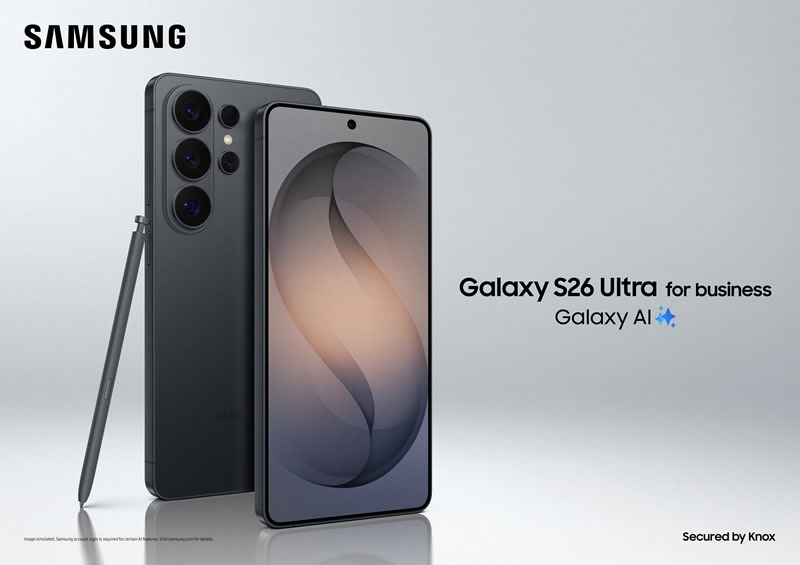
Paired with Rogers, Canada’s largest and most reliable 5G network1, the Galaxy S26 Ultra fits neatly into your daily work routine, assisting as you run between meetings, manage your team, and handle client work on the go.
Photo Assist: Professional visuals, minus the learning curve
Taking a photo is only half the job. Photo Assist calls on Galaxy AI to let you refine images quickly using simple taps or natural language instructions.2,3
Use it to remove background clutter. Clean up distractions. Add missing elements from your gallery and have them blended seamlessly into the scene. You can even create and apply consistent styles across images to create a cohesive look for your brand.
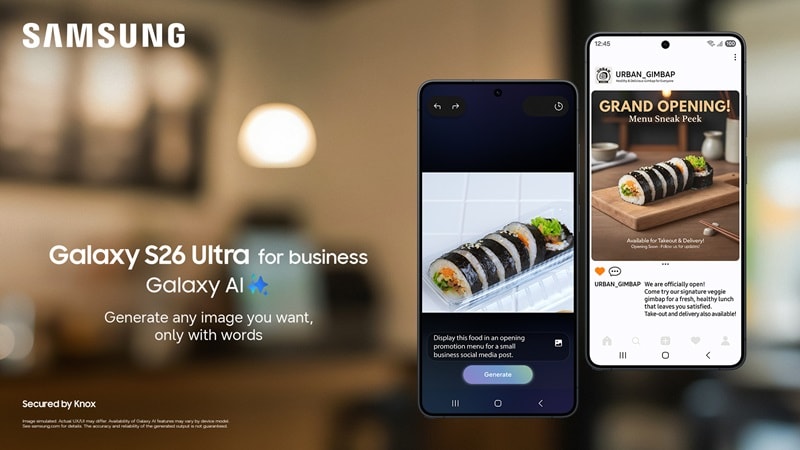
For entrepreneurs and small teams without dedicated design support, Photo Assist makes creating professional-quality visuals on your phone quick and easy.
Privacy Display: When what you're working on is for your eyes only
Your job doesn’t always happen in the privacy of an office. Sometimes you need to look at sensitive assets while commuting on trains, sitting in airport lounges, or getting a coffee at a crowded cafe. Privacy Display on the Galaxy S26 Ultra is designed for exactly these moments.4
With a simple on/off toggle, Privacy Display limits screen visibility from certain angles, blocking prying eyes around you from seeing confidential emails, documents, and client data.5 Better still, it can be customized to activate automatically for specific apps, meaning your workflow remains seamless while your information stays protected.
For professionals handling confidential documents on the go or teams that need built-in safeguards they can rely on. Privacy Display offers smart, intuitive privacy without the need for a separate privacy screen protector. It’s one less thing to worry about, so you can stay focused on the work in front of you.
Security that supports smarter work
The Galaxy S26 Ultra is built on Samsung Knox, Samsung’s long-standing security framework designed to safeguard business information, starting with hardware and moving through to firmware and apps.
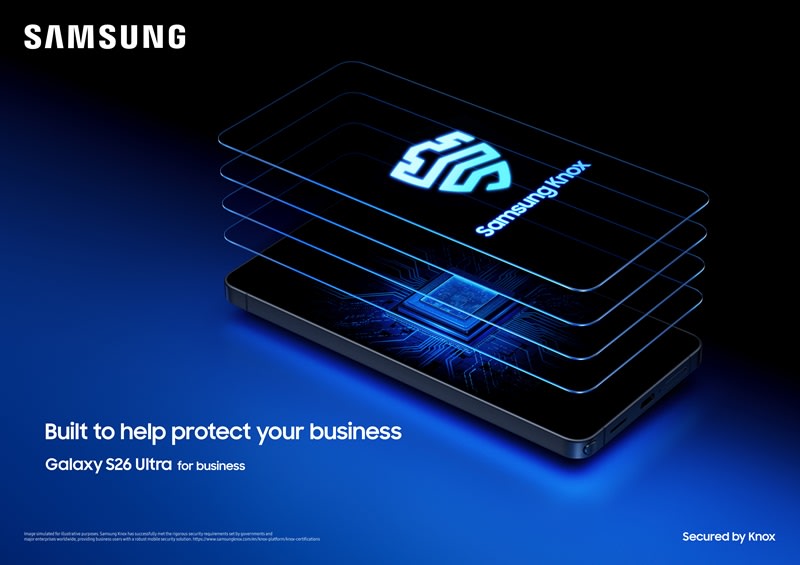
As AI features become more proactive and context-aware, Knox ensures sensitive data stays isolated, encrypted, and under your control. Work and personal information remain separate, credentials are protected, and threats are monitored continuously in the background.
For professionals handling confidential client data—especially those in regulated industries, such as finance, healthcare, and the government—this foundation makes it possible to take advantage of smarter AI features without introducing additional risk. You get flexibility and productivity gains, backed by security that’s designed for real-world business requirements.
Hands-free AI with the Galaxy Buds4 Pro: A heads-up workspace
Productivity doesn't always happen on a screen. When paired with the Galaxy Buds4 Pro, the Galaxy S26 Ultra provides a voice assistant in your ear that creates a powerful "Heads-Up" workspace.6,7 You can receive real-time translations during international calls, hear message summaries, and ask your AI agent for critical data without ever unlocking your phone.
The ecosystem also delivers focus on demand. It utilizes Voice Detection 2.0 to understand when you are speaking to the AI versus a colleague, while intelligent Active Noise Cancellation filters out the chaos of airports or coffee shops, ensuring you remain focused on the client.
Galaxy S26 Ultra: Designed for the way people actually do business
The Galaxy S26 Ultra doesn’t ask you to change how you work. It adapts to it. It keeps your day moving without distraction, anticipates your photography needs, and does it all on an AI powered display that's second to none.
Whether you're a C-suite decision maker, a branch manager, or in the field, the Galaxy S26 proactively takes tasks off your plate to help your day run more smoothly. And it looks great while doing it.
Contact a Rogers Business Specialist if you have questions about Galaxy S26 family models—including the Galaxy S26, Galaxy S26+, and Galaxy S26 Ultra or need help choosing a Rogers Business plan that fits your needs.
The Samsung Galaxy S26 Series, by the numbers
|
|
Galaxy S26 |
Galaxy S26+ |
Galaxy S26 Ultra |
|
Display |
6.3-inch 2340x1080 FHD+ Dynamic AMOLED 2X |
6.7-inch 3120x1440 QHD+ Dynamic AMOLED 2X |
6.9-inch 3120 x 1440 QHD+ Dynamic AMOLED 2X |
|
Rear cameras |
12 MP f/2.2 (Ultra Wide); 50 MP f/1.8 (Wide); 10 MP 3x f/2.4 (Tele) |
12 MP f/2.2 (Ultra Wide); 50 MP f/1.8 (Wide); 10 MP 3x f/2.4 (Tele) |
50 MP f/1.9 (Ultra Wide); 200 MP f/1.4 (Wide); 50 MP 5x f/2.9 (Tele 1) |
|
Front camera |
12 MP f/2.2 AF |
12 MP f/2.2 AF |
12 MP f/2.2 AF |
|
Chipset |
Octa-core Snapdragon® 8 Elite Gen 5 (3 nm) |
Octa-core Snapdragon® 8 Elite Gen 5 (3 nm) |
Octa-core Snapdragon® 8 Elite Gen 5 (3 nm) |
|
RAM |
12 GB |
12 GB |
12/12/16 GB |
|
Storage |
256/512 GB |
256/512 GB |
256/512 GB/1 TB |
|
Battery Life |
4,300 mAh |
4,900 mAh |
5,000 mAh |
1. Based on total square kilometers of coverage, the 5G+ network operated by Rogers is larger than the 5G+ networks operated by either of Bell or Telus. Rogers 5G+ was ranked first in reliability in the umlaut Mobile Network Performance audit in 2025. Visit Umlaut audit report 2025
2. Requires Samsung account login and internet connection. Requires network connection. A visible watermark is overlaid on the saved image to indicate it was generated by Galaxy AI. Accuracy of output not guaranteed. Editing with Photo Assist results in a resized photo up to 12MP.
3. Galaxy AI basic features provided by Samsung are free. Any Samsung enhanced AI features and all third-party AI features are subject to different terms and may be subject to fees. (Galaxy AI basic features are listed under “Advanced intelligence” in Samsung Services Terms and Conditions.)
4. Privacy Display is only available on Galaxy S26 Ultra. Privacy Display is off by default and has to be turned on in the phone settings or in the dropdown menu.
5. Privacy Display feature controls the screen’s viewing angle to limit peripheral vision and can be activated in Settings. Activation for specific apps also available in Settings. Some changes in image quality may occur outside viewing angle. Some information may still be visible to others depending on the viewing environment, such as angle on brightness. Caution is advised when exposing sensitive information.
6. Products sold separately. Requires initial setup via Samsung Wear App on compatible
Devices.
7. Not all Galaxy AI and third party AI features are available in hands-free mode. Hands-free AI only compatible with select Galaxy Buds. Products sold separately. Internet connection may be required for certain AI features. Any Samsung enhanced AI features and all third-party AI features are subject to different terms and may be subject to fees.